
Wallets
Learn how BRC-100 wallets give BSV apps permissioned access to identity keys, actions, baskets, encryption, certificates, signatures, and discovery.
A BSV wallet is more than a place to send and receive coins. In modern BSV apps, the wallet is the user's cryptographic agent: it holds keys, enforces permissions, manages spendable outputs, presents identity certificates, and lets applications use Bitcoin capabilities without taking custody of secrets.
The important standard is BRC-100, which defines the app-to-wallet interface. If your app speaks BRC-100 through WalletClient, it can work with multiple compliant wallets instead of being tied to a single vendor.
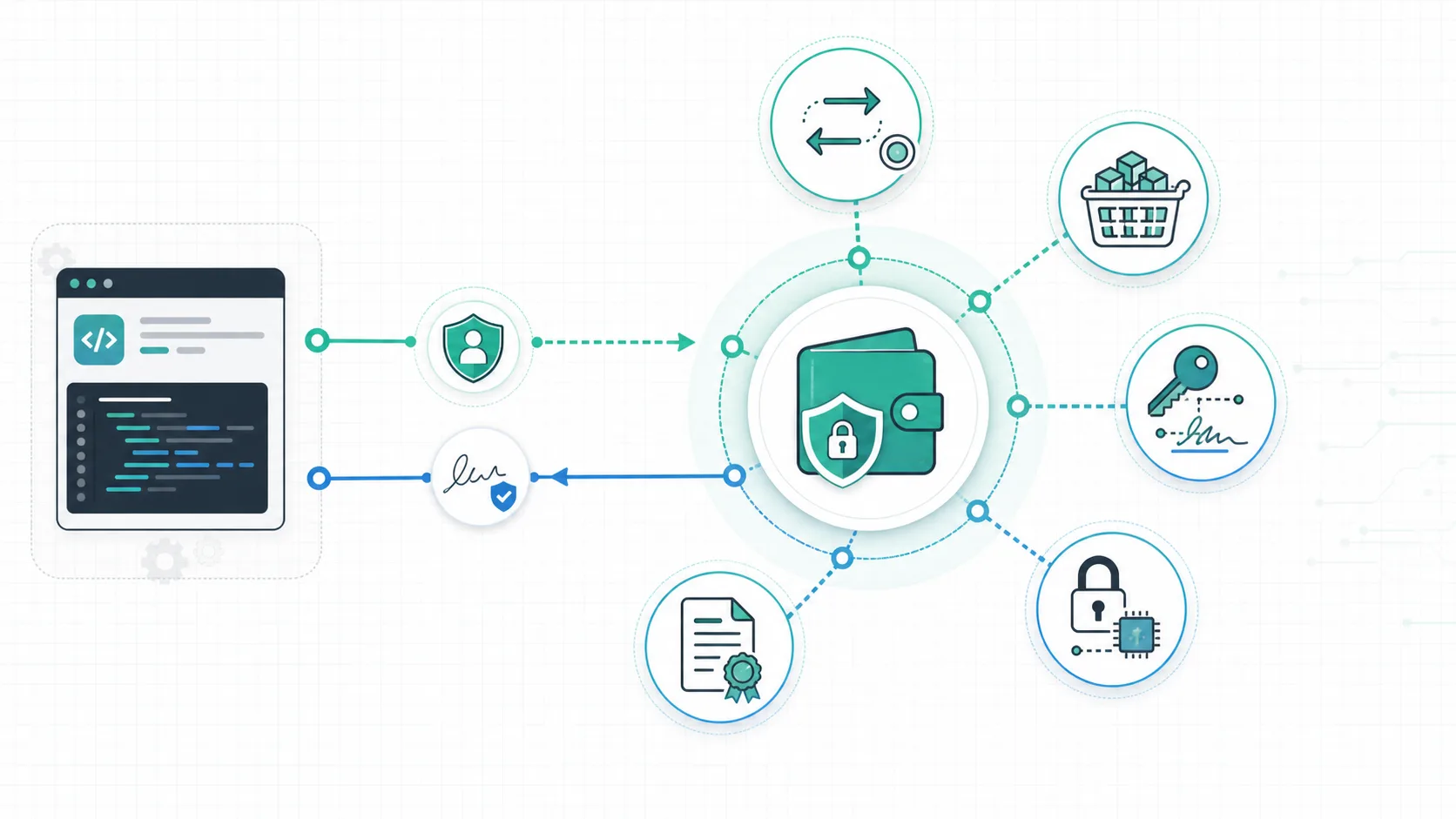
What a BRC-100 Wallet Does
| Capability | What the app asks for | Why the wallet owns it |
|---|---|---|
| Actions and transactions | Create, sign, abort, list, and internalize actions | The wallet controls signing authority and coin selection. |
| Outputs and baskets | Track UTXOs by app purpose | The user decides which apps can see or spend which outputs. |
| Keys and signatures | Derive public keys, create signatures, verify signatures | Apps can authenticate and coordinate without receiving private keys. |
| Encryption and HMACs | Encrypt, decrypt, create HMACs, verify HMACs | Apps get user-controlled cryptography with protocol-specific permissions. |
| Certificates | Prove selected identity facts | Users reveal only the fields a feature needs. |
| Discovery | Read network, height, headers, wallet version, and authentication state | Apps can adapt to wallet and network context. |
Current Wallet Landscape
Use the word "wallet" carefully in BSV docs and product copy. A legacy address wallet and a BRC-100 application wallet are not interchangeable.
- Metanet Client runs the wallet alongside your desktop browser on macOS, Windows or Linux.
- Metanet Explorer combines the wallet with an in-app browser on iOS and Android.
- BSV Desktop and BSV Browser are separate BRC-100 wallet products. Test portability against the versions and transports your app supports.
- Wallet Toolbox is infrastructure for building, hosting, and operating wallets across TypeScript, Go, and Python environments.
- Legacy wallets can still hold BSV, but they generally do not expose baskets, certificates, app permissions, or the BRC-100 request model.
The App Model
An identity key used in wallet-native payments is not a traditional type-1 BSV address. Exchanges often require the latter. Mountaintops funding derives an address through your connected wallet, then imports funds sent there into wallet-managed outputs. Key recovery, wallet-data backups and public receiving information also serve different purposes; see backups and recovery.
An application does not import a seed phrase or manage the user's keys. It creates a client and asks for a capability:
1import { WalletClient } from '@bsv/sdk'
2
3const wallet = new WalletClient('auto')
4await wallet.waitForAuthentication()
5
6const { publicKey } = await wallet.getPublicKey({ identityKey: true })The wallet decides how to route that request, how to display permissions, and whether the request can proceed. The app receives the result only after approval and policy checks.
Why This Matters
BRC-100 makes BSV apps portable and user-centered:
- A user's keys stay in wallet software designed for custody and consent.
- Apps request narrow capabilities instead of broad account access.
- Wallet vendors can compete on user experience without forcing every developer to rewrite integrations.
- Protocols such as baskets, certificates, overlays, MessageBox, UHRP, and HTTP 402 payments can compose around the same wallet identity.
Related Standards and References
- BRC-100 wallet interface
- BRC-1 transaction creation
- BRC-2 key derivation
- BRC-46 output baskets
- BRC-52 identity certificates
- BRC-53 certificate creation
- BRC-56 HMACs
- BSV TypeScript SDK wallet reference
Next Steps
- Install a wallet with Getting a Wallet.
- Build with
WalletClientin Your First BSV App. - Learn how local wallet state works in Baskets.
- Add wallet-native auth in Wallet Authentication.