
Getting Started with AuthFetch
Learn to build without passwords, empowering users with control over their identities in your app.
Build password-free, BRC-100-native authentication in a single afternoon.
Why AuthFetch?
Traditional auth stacks juggle:
- User tables
- Password resets & 2FA
- JWT secrets & session stores
With a BRC-100 wallet, the user already has a cryptographic key pair available for app authentication.
AuthFetch lets the browser sign requests with that key; Auth Express Middleware verifies the signature server-side and exposes a pre-verified identityKey on req.auth. No passwords, no cookies, no phishable tokens.
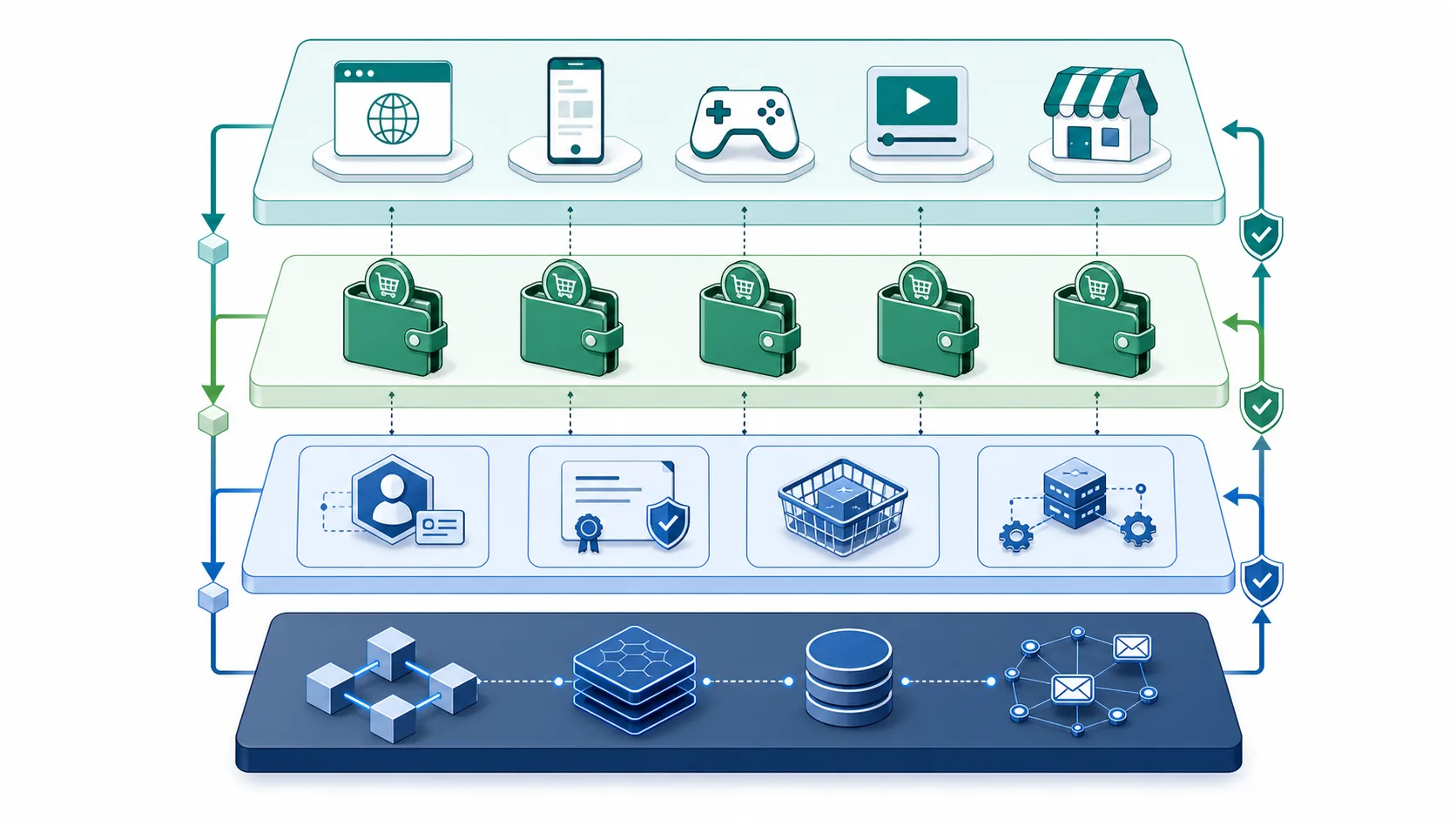
AuthFetch signs browser requests with the user's wallet identity. Auth Express Middleware verifies those signatures and attaches the verified identity to the request before your route handler runs.
Prerequisites
| Tool | Why you need it | Link |
|---|---|---|
| BRC-100 wallet | Provides the user’s wallet, identity key, and permission prompts | Getting a Wallet |
| Node.js 22 or 24 (maintained and patched) | Runs the TypeScript SDK & Express | https://nodejs.org |
| BSV TypeScript SDK | WalletClient, AuthFetch, utilities | npm i @bsv/sdk |
| Auth Express Middleware | Verifies AuthFetch headers server-side | npm i @bsv/auth-express-middleware |
NOTE: All packages are BSV-licensed and published on npm. Always run
npm auditbefore shipping to prod.
High-level flow
- The browser app connects to the user's BRC-100 wallet.
- The wallet authenticates the user and exposes an approved identity key.
AuthFetchsigns an HTTP request with wallet-controlled key material.- Express receives the request.
- Auth Express Middleware verifies the signature.
- Your route handler reads
req.auth.identityKeyand responds.
Step-by-Step Tutorial
1. Initialise your project
1mkdir bsv-auth-demo && cd bsv-auth-demo
2npm init -y
3npm i express cors @bsv/sdk @bsv/auth-express-middleware
4npm i -D typescript ts-node nodemon @types/express
5npx tsc --init2. Build the client
src/client/index.ts
1import { WalletClient, AuthFetch } from '@bsv/sdk'
2
3// 1. Connect to the user's BRC-100 wallet
4const wallet = new WalletClient('auto')
5await wallet.waitForAuthentication()
6
7// 2. Create an AuthFetch instance
8const authFetch = new AuthFetch(wallet)
9
10// 3. Make an authenticated call
11async function getProfile() {
12  const res = await authFetch.fetch('http://localhost:3000/api/profile', {
13    method: 'GET',
14  })
15  if (res.ok) {
16    const data = await res.json()
17    console.log('Profile', data)
18  } else {
19    console.error('Auth failed', await res.text())
20  }
21}
22
23document
24  .getElementById('login-btn')
25 ?.addEventListener('click', getProfile)What’s happening?
- WalletClient asks the user's BRC-100 wallet to expose the approved identity to the app.
- AuthFetch signs the HTTP request body + path with the private key.
- The identity key + signature travel in HTTP headers.
3. Create the Express backend
src/server/index.ts
1import express from 'express'
2import cors from 'cors'
3import { ProtoWallet } from '@bsv/sdk'
4import { createAuthMiddleware } from '@bsv/auth-express-middleware'
5
6// 1️⃣ Spin up Express
7const app = express()
8app.use(cors())
9app.use(express.json())
10
11// 2️⃣ Inject Auth middleware
12const wallet = new ProtoWallet('anyone')
13const authMiddleware = createAuthMiddleware({
14  wallet,
15  allowUnauthenticated: false
16})
17app.use(authMiddleware)
18
19// 3️⃣ Define an authenticated route
20app.get('/api/profile', (req, res) => {
21  // If signature fails, middleware already sent 401
22  const identityKey = req.auth.identityKey
23  console.log('Verified identityKey:', req.auth.identityKey)
24  return res.json({
25    hello: 'BSV!',
26    yourIdentityKey: identityKey,
27  })
28})
29
30app.listen(3000, () =>
31  console.log('API listening on http://localhost:3000')
32)Behind the scenes:
- ECDSA verify – Confirms the header signature matches the public key of the user.
- On success it attaches
req.auth = { identityKey }. - On failure it returns
401 Unauthorizedbefore your route handler runs.
4. Test it end-to-end
-
Start the backend:
1nodemon --exec ts-node src/server/index.tsCopied! -
Serve your static client (any dev server works, e.g.
vite preview). -
Click Log In. Open browser dev-tools → Network → request headers:
1X-BSV-Auth-Identity-Key: 023ac9…cd8e
2X-BSV-Auth-Signature: 3044…
Copied! -
Check terminal logs:
1API listening on http://localhost:3000
2Verified identityKey: 03ab…ff91
Copied!
You just authenticated a user without a database lookup or password.
Using identityKey as your primary user handle
Because the key is:
- Globally unique (only one wallet controls it)
- Cryptographically provable (ECDSA)
- Portable across all BRC-100 apps/wallets/backends
…it can safely replace users.id in most schemas.
1// Example: fetching a user profile by identityKey
2const profile = await db.profiles.findOne({ identityKey: req.auth.identityKey })If you need human-readable aliases, store them in a separate table keyed by identityKey.
Alternatively, you can gradually adopt the BSV identity stack's digital certificate and identity resolution features.
Extra Recipes
1. Role-based access
1app.post('/api/admin/ban', (req, res, next) => {
2  const { identityKey } = req.auth
3  if (!ADMIN_KEYS.includes(identityKey)) return res.sendStatus(403)
4  next()
5})2. Pay-per-API-call
The server's private key can be used with WUI to maintain a balance and receive funds from users.
The Payment Express middleware can be layered on top, so you can collect micropayment revenue per API call.
Concept Glossary
| Term | TL;DR |
|---|---|
| Metanet | Layered data & identity network atop the BSV blockchain—not a sidechain, not an indexer. |
| BRC-100 Wallet | Vendor-neutral wallet API spec implemented by BSV Desktop, BSV Browser, and other compatible wallets. |
| Identity Key | Something a user holds in their wallet that servers can easily check and use instead of passwords. |
| AuthFetch | Browser helper that signs HTTP requests with the identity key. |
| Auth Express Middleware | Server middleware that verifies AuthFetch headers. |
Next Steps
- 📚 Read the in-depth API docs – https://github.com/bsv-blockchain/auth-express-middleware
- 🛠 Fork a demo – https://github.com/p2ppsr/marscast
- 💬 Join the community – use the current community links from Project Babbage.
- 🤝 Need guidance? – Book a 2-week Discovery Sprint and let our engineers pair-program the pilot with you.
Troubleshooting
| Symptom | Possible Cause | Fix |
|---|---|---|
401 Unauthorized | Signature or identity key not provided in header | Make sure you're using AuthFetch and the user has a BRC-100 wallet installed and connected. |
| “Wallet denied permission” | User clicked “deny” | Tell the user to allow your app access, and explain why in a modal. |
| CORS preflight fails | Missing OPTIONS handler | app.use(cors()) before createAuthMiddleware |
You’re now using wallet-native auth
Password dialogs are gone. Phishable shared secrets are gone. Your app is BRC-100-native.
Plug this pattern into any React, Vue, or vanilla site to keep user authentication tied to wallet-controlled keys.